

How do I leave a quick review for my order? (Takes 1 minute)

Share Your Review and Get Rewarded!
– We’d love to hear your feedback about your purchase.
– As a thank you, you’ll receive a $3 discount coupon.
To leave a review for a product,
– Click the product image.
– Click the top-right menu (refer to sample image below).
– Select “My Account”
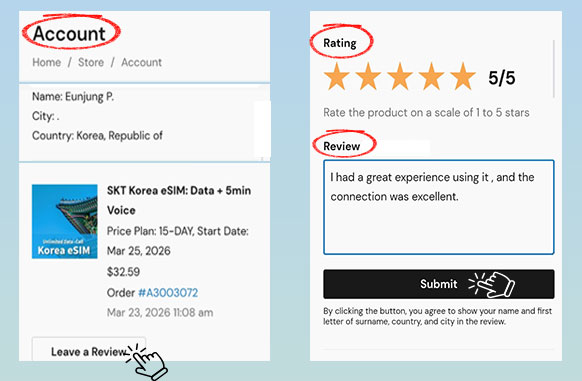
– Click “Leave a reviews”
– Rate the item (1–5 stars), write it, submit.
Sample image (Step-by-step guide)
– Click the product image in the review email to open the purchased product page.
– As shown in the image, click the top-right menu and select “My Account.”
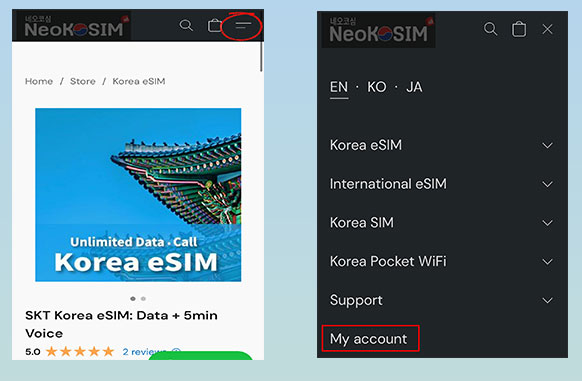
– Click “leave a Review” in the “My Account“.
– Rate the item (1–5 stars), write it, and click Submit.
* For privacy reasons,
only your name, the first letter of your surname, and your city and country will be displayed in the review.