

1-minute review
Summary
* To leave a review for a product,
1. Click the product image (in review email)
2. Click the top-right menu
3. Select “My Account”
4. Click “Leave a reviews”
5. Rate the item (1–5 stars), write it, submit.
Details (with images)
* Step-by-step guide with images:
1. Click the product image in the review email to open the purchased product page.
2. As shown in the image, click the top-right menu and select “My Account.”
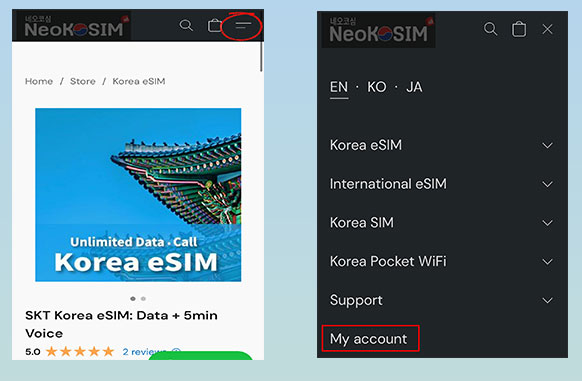
3. Click “leave a Review” in the “My Account“.
4. Rate the item (1–5 stars), write it, and click Submit.
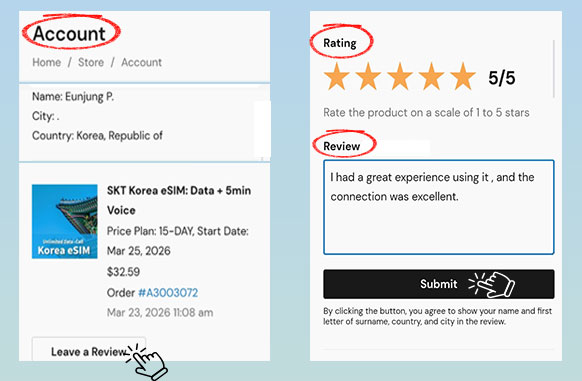
* For privacy reasons,
only your name, the first letter of your surname, and your city and country will be displayed in the review.