

What Is Mobile phone Identity Verification in Korea?
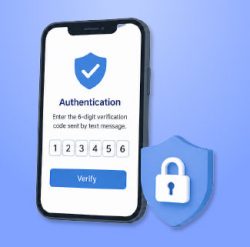
Overview
Mobile Phone Identity Verification is an authentication service that uses your registered Korean mobile number to confirm your real identity. It is separate from standard mobile services such as calls, texts, and data.
This system is operated by Korean mobile carriers in cooperation with authorized identity verification agencies, allowing users to verify their identity using their mobile phone number.
Why Is It Required?
* In Korea, identity verification is commonly required when:
– Signing up for websites
– Making online purchases
– Accessing financial or government services
* You typically need:
– Full name
– Date of birth
– Korean mobile phone number registered under your name
Who Is Eligible?
– This service is available only to:
– Korean citizens with a Resident Registration Number
– Foreign residents with a valid Alien Registration Card (ARC)
* Note: Foreign visitors using only a passport are not eligible for Mobile phone Identity Verification.
Supported SIM Products
The following SIM products support mobile phone identity verification:
– SIM 585P
– SIM 396P
– SIM 396S
– SIM 100S
– No prepaid eSIM supports mobile phone identity verification in Korea.
How to Use
– Click the Mobile Phone Identity Verification button on a website.
– Select your mobile carrier (SKT, KT, LG U+, or MVNO — Mobile Virtual Network Operator)
– Agree to the terms and conditions.
– Enter your name, date of birth, and phone number.
– Receive a 6-digit verification code via SMS.
– Enter the code to complete verification.
– The 6-digit verification code is valid for 3 minutes. If it expires, you must request a new one.
Personal Information Consent
During verification, you will be asked to agree to the collection and use of personal information by the identity verification agency. These consents are required to proceed. Please read each item carefully before agreeing.