

Korea eSIM Installed but Not Working? Fix It in 1 Minute!!
Summary
A customer living in Australia purchased two KT Korea eSIMs on March 24.
After arriving at Incheon Airport around 10 PM on March 26, they received the eSIMs at the KT roaming center and proceeded with installation at their accommodation.
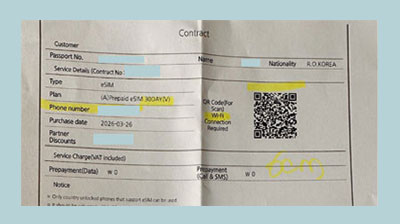
After installing both eSIMs on an iPhone:
One worked normally
The other failed to connect to the network
Based on this case, we’ve summarized the cause and solution.
Customer Inquiry & Initial Check
After receiving the inquiry, we checked the phone settings.
From the screenshots provided:
The Korean phone number was displayed correctly
The primary line (Australia) was turned off
The secondary line (Korea) was turned on
At first glance, both the eSIM installation and basic settings appeared normal.
However, when attempting to make a call, the message
“The phone you are trying to reach is switched off” was heard.
This indicated that the network connection was not properly established.
Cause of the Issue
This issue can occasionally occur when installing a new eSIM.
It usually happens when:
Previous network settings remain on the device
The carrier connection does not initialize properly
This is more likely when:
A previously used overseas line is still configured
This is not limited to Korea eSIMs—
it can also occur with travel eSIMs used internationally.
How to Fix It
This is not a complex issue and can usually be resolved quickly with a few simple steps.
Follow the steps below:
1. Reset Network Settings (iPhone)
Go to:
Settings → General → Transfer or Reset iPhone → Reset → Reset Network Settings
✔ This will remove saved Wi-Fi and network settings.
2. Remove Configuration Profile (if any)
Go to:
Settings → General → VPN & Device Management → Configuration Profile
Delete any existing profiles if found.
Conclusion
This issue does not occur frequently, but it does happen occasionally.
Based on past SIM usage:
Approximately 1 out of 100 cases
eSIMs are generally:
Easy to install
Convenient to use immediately
Highly satisfying overall
Even in cases like this, the problem is usually resolved quickly with simple setting adjustments.
Installation & Purchase Information
This product is exclusively for Koreans living overseas.
It is not available on Naver Smart Store.
Please purchase only through the official Neokosim website.
KT Korea eSIM Products
Unlimited Data + Optional Voice Top-up
Unlimited Data + 60 Minutes Free Calls
KT Korea SIM Card Products
Unlimited Data + Optional Voice Top-up
Unlimited Data + 60 Minutes Free Calls