What should I do if my Pocket WiFi is not working?
Overview
* This guide explains how to troubleshoot Pocket WiFi Korea models IML500 and IML520 when they cannot connect to the internet or display “No Service.”
* If you are using a different Pocket WiFi model, please contact our customer support team for assistance.
Simple Steps
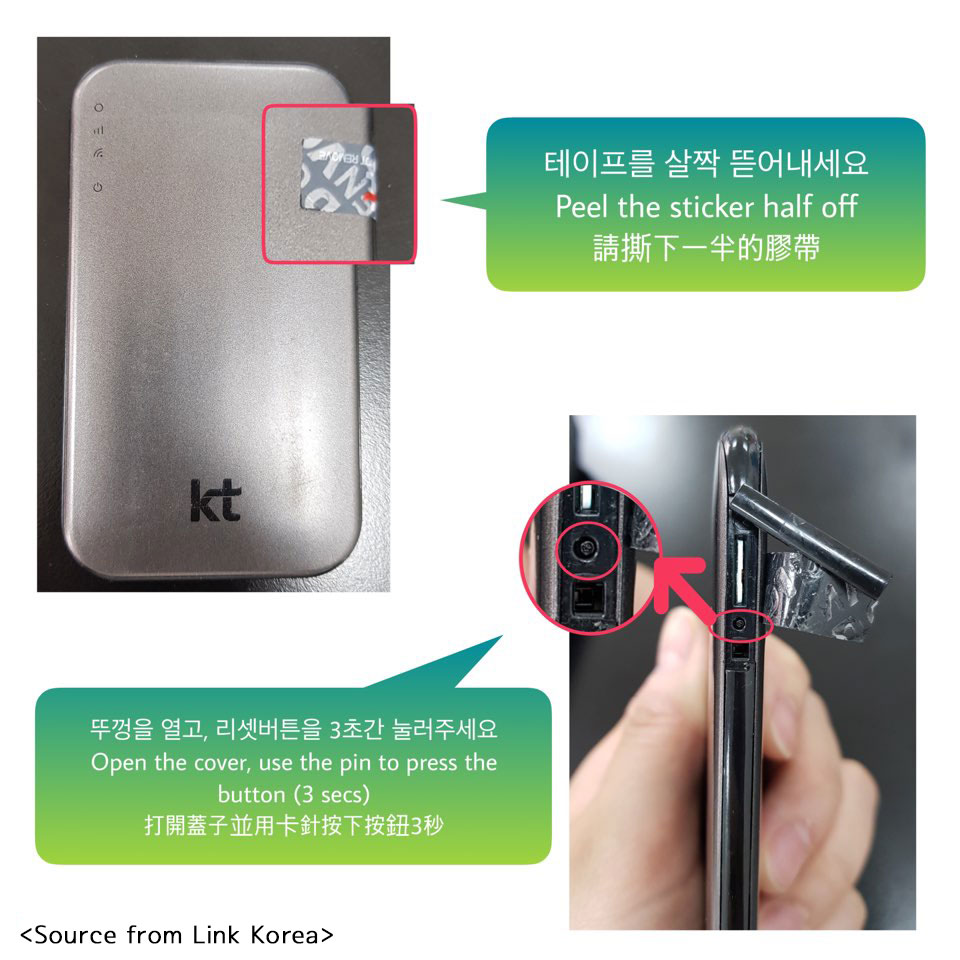
– Follow these steps to reset your Pocket WiFi device:
– Peel back part of the sticker on the back of the device.
– Open the cover and locate the reset button.
– Press and hold the reset button with a pin for 3 seconds.
– Wait for the device to restart.
– Check whether the internet connection has been restored.
– Enjoy your trip!