

How do I connect my Korea Pocket WiFi to my phone?
Getting Started
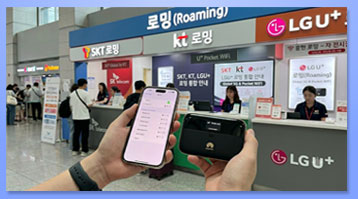
* Follow these Simple Steps:
– Turn on the Pocket WiFi device.
– Open Settings on your phone.
– Select the SSID (WiFi network name) shown on the Pocket WiFi router.
– Enter the WiFi password printed on the router label.
– Once connected, you can start using the internet.
* Blue LED lights indicate that the device is operating normally.
Notes
* Please check that your Pocket WiFi is working properly at the pickup location.
* If you cannot connect to the internet, ask the staff for assistance before leaving the pickup counter.
* Keep the device charged to ensure uninterrupted internet access.
* The WiFi network name (SSID) and password are printed on the Pocket WiFi device or its label.
Troubleshooting
* If your phone cannot find the WiFi network, restart the Pocket WiFi device and try again.
*If the connection is successful but the internet does not work, reconnect to the WiFi network or restart your phone.