Verifying Passport
*
Passport verification is required to use call and text services with a Korea eSIM or SIM cards.
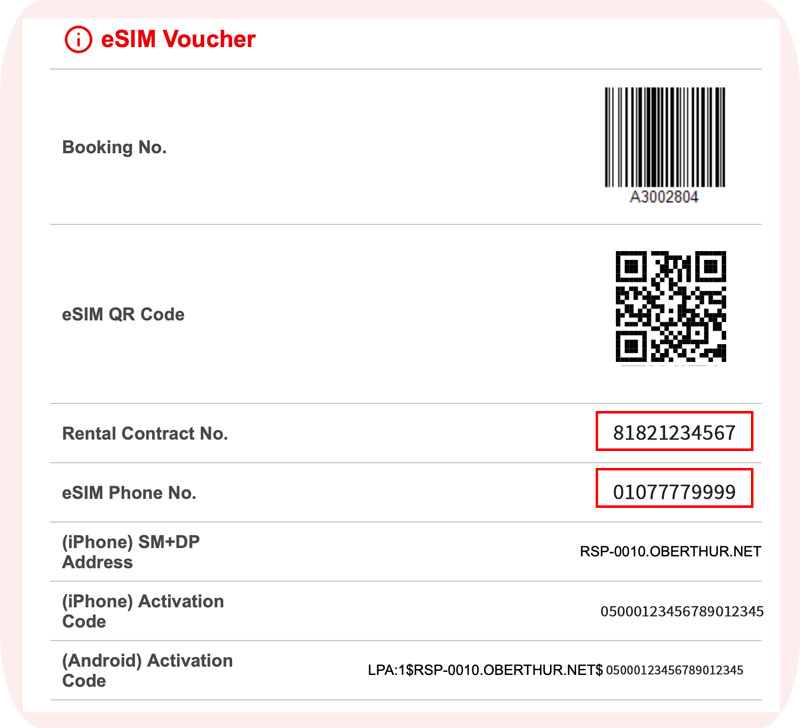
1. Check the rental contract number and the service Number on the SIM QR code.
* For reference, you can check your contract number and mobile phone number as follows.
– Korea eSIM: check the lower section of the QR code email you received.
– Korea SIM card: refer to the contract form provided when you pick up your SIM.
.
.
2. Visit at this webpage.
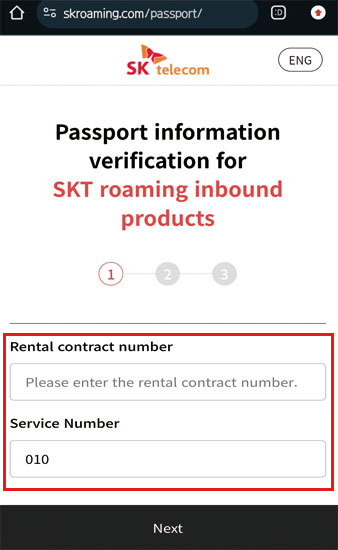
3. Enter rental contract number and Service Number (Phone NBR).
4. Click the Next button.
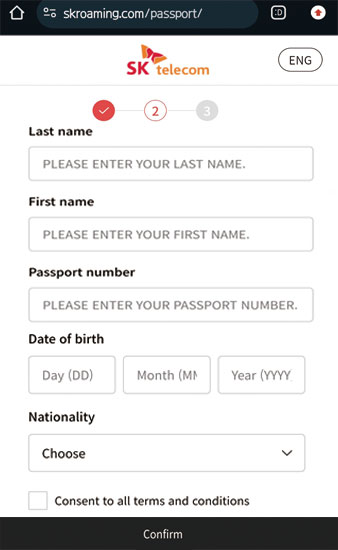
5. Enter your Last & First Name, Passport NBR, Date of birth.
6. Choose your Nationality.
7. Agree to the Terms & Conditions of the SKT eSIM service.
8. Click the Confirm button.
.
.
*
Important Notes.
–
Passport verification is available after arrival in Korea between 08:00 and 22:00 (KST).
–
Each line can only be registered with one foreign passport.
–
A single passport number cannot be used to verify multiple lines.
–
Until verification is done, only data works; no calls or texts.
–
After verification, recharge online to enable calls and texts.
–
Korean passports are not eligible for verification.
.
.
*
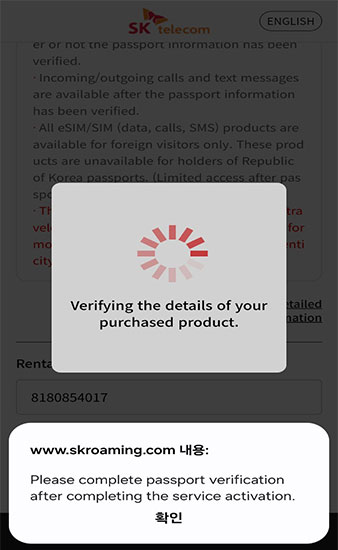
Common Error: “Verifying the details of your purchased product.
–
An error occurs when you install the QR code and attempt passport verification from overseas before entering the country.
–
Since the eSIM only works in Korea, please activate the data and attempt passport verification after entering the country.
–
Check out our Shorts Video : Tap here!
Recommended Posts